What’s New in Pricore 0.56: A Health-First Dashboard and Clearer Package Pages

A package registry is infrastructure. When it works, nobody thinks about it. When someone does open it, it’s usually because something feels off: a release didn’t show up, an install failed, or a security alert came in.
The organization overview didn’t help with that. It opened with the number of packages, repositories and members, figures that rarely change and never tell you whether anything is wrong. v0.56.0 turns the overview into a health board that leads with the problems, and refreshes the rest of the interface along the way.
A dashboard built around anomalies
The overview now answers one question first: is anything broken?
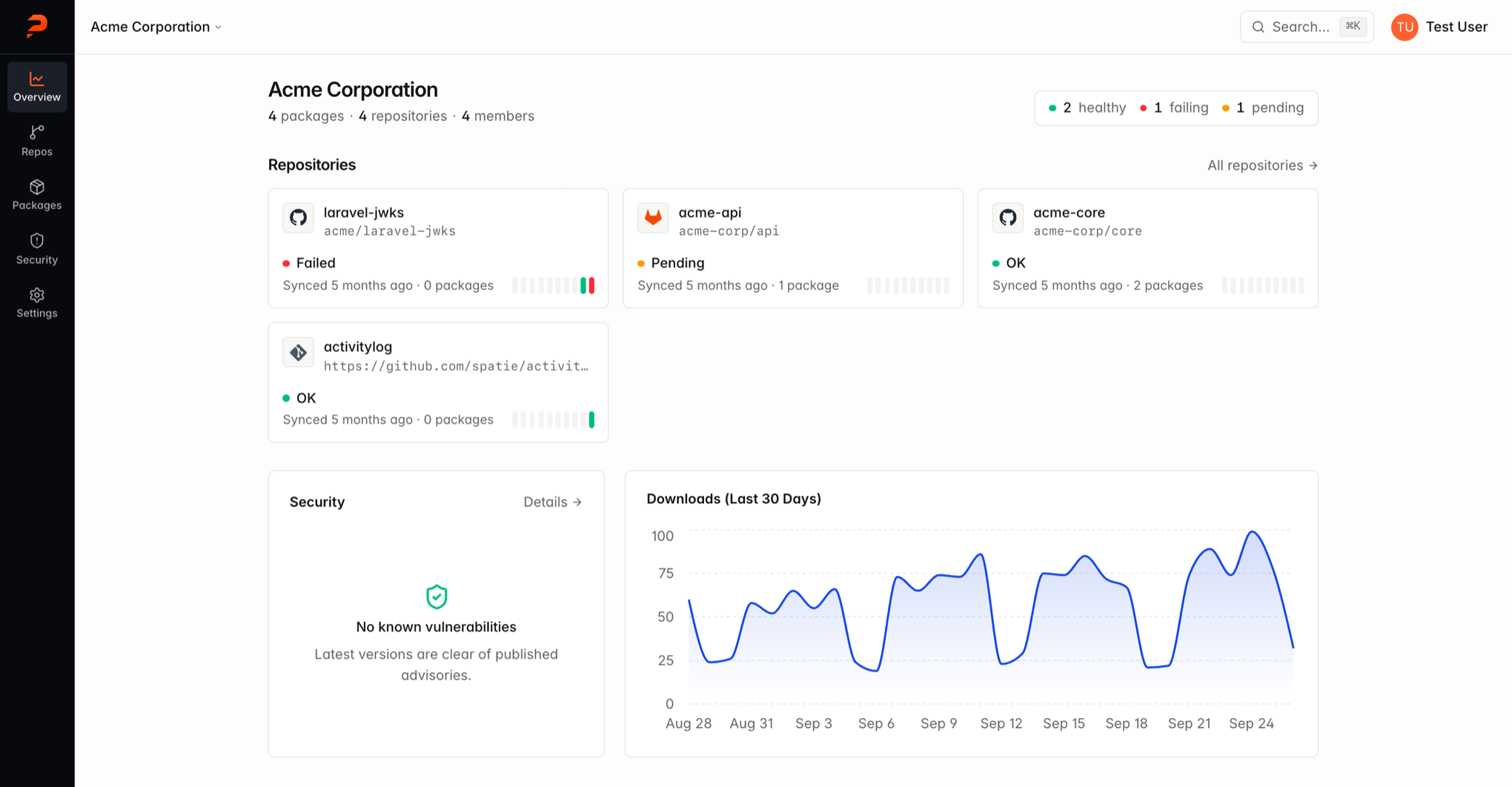
- Repository health. A summary in the header counts healthy, failing and pending repositories. Below it, each repository gets a tile with its sync status and a strip showing the outcome of its last 10 syncs. Failing repositories are always listed first.
- Security at a glance. A security panel shows how many known vulnerabilities affect the latest and development versions of your packages, broken down by severity. When there are none, it says so.
- Totals as context. Package, repository and member counts are still there, as a single line under the organization name that links to each list. Downloads keep their chart, next to the security panel.
The same sync history strip appears on each repository page, alongside a summary of status, last sync, package count and webhook state. Repositories that have never synced get a Sync Now shortcut instead of an empty table.
Package pages you can scan
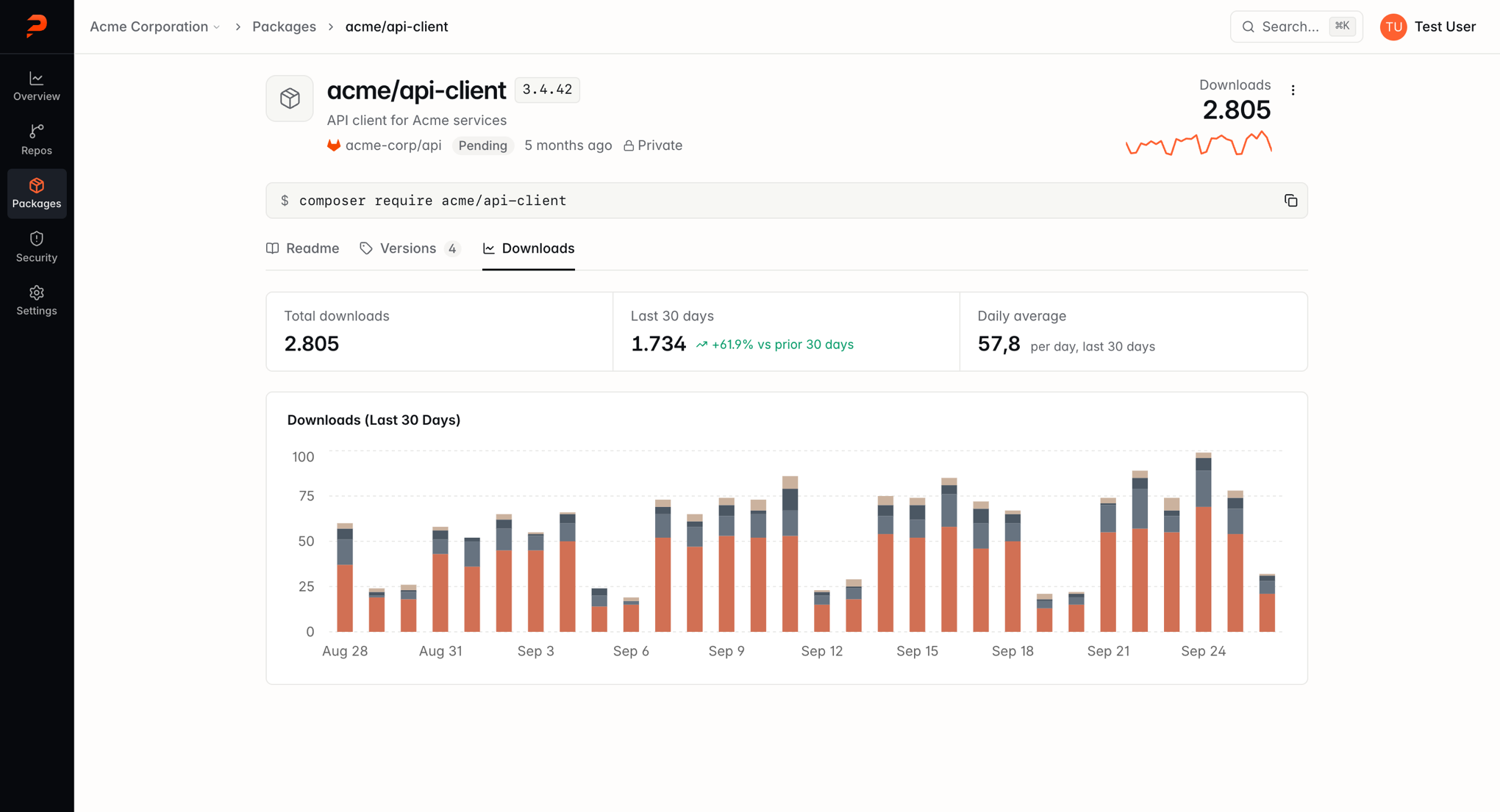
The package page opens with what you usually need: the latest version, a description, where the package comes from and whether that source synced successfully. A 30-day download sparkline sits on the right, and the composer require command is ready to copy right below.
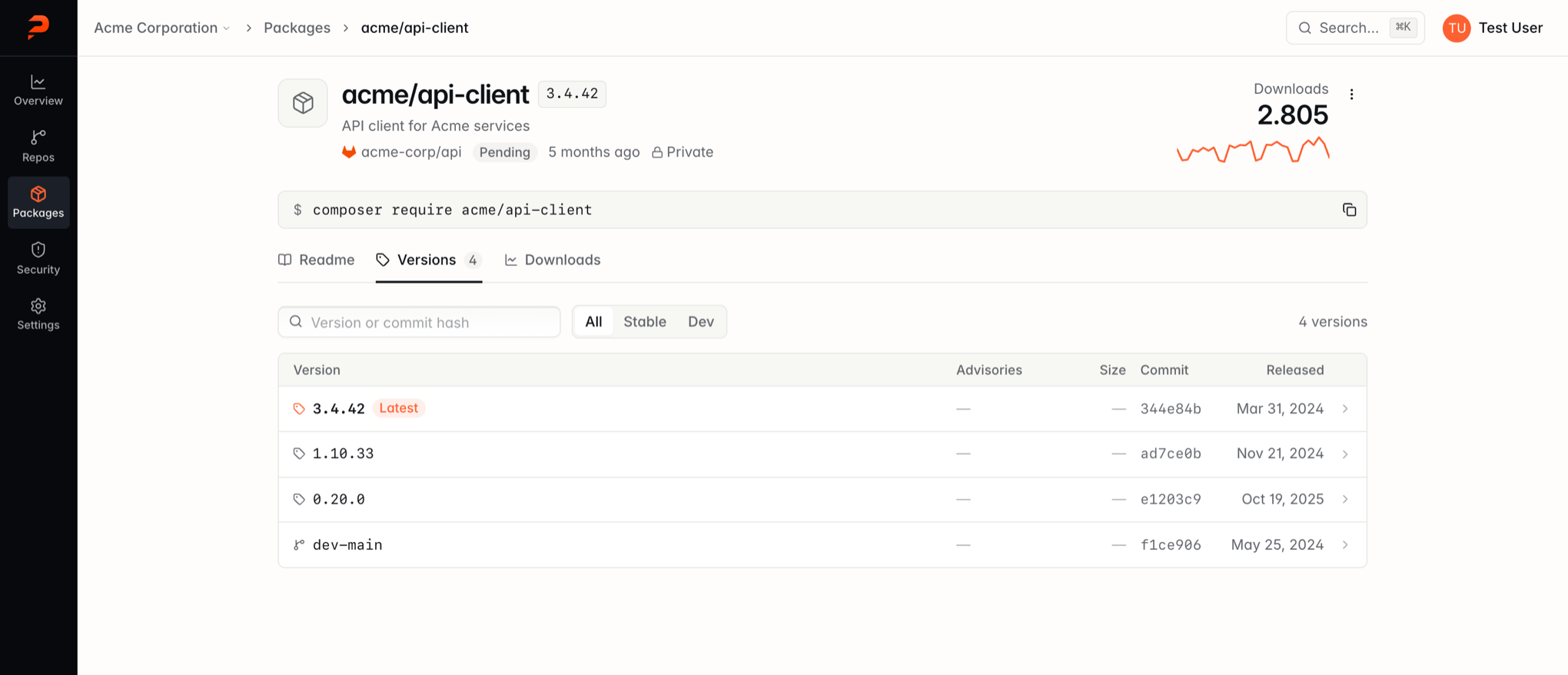
Readme, Versions and Downloads are now tabs. The versions list became a table you can scan down a column: the latest release is marked, branches are easy to tell apart from tags, and advisories are colored by severity. Hover a row to copy the exact composer require command for that version, and filter by stable or development versions.
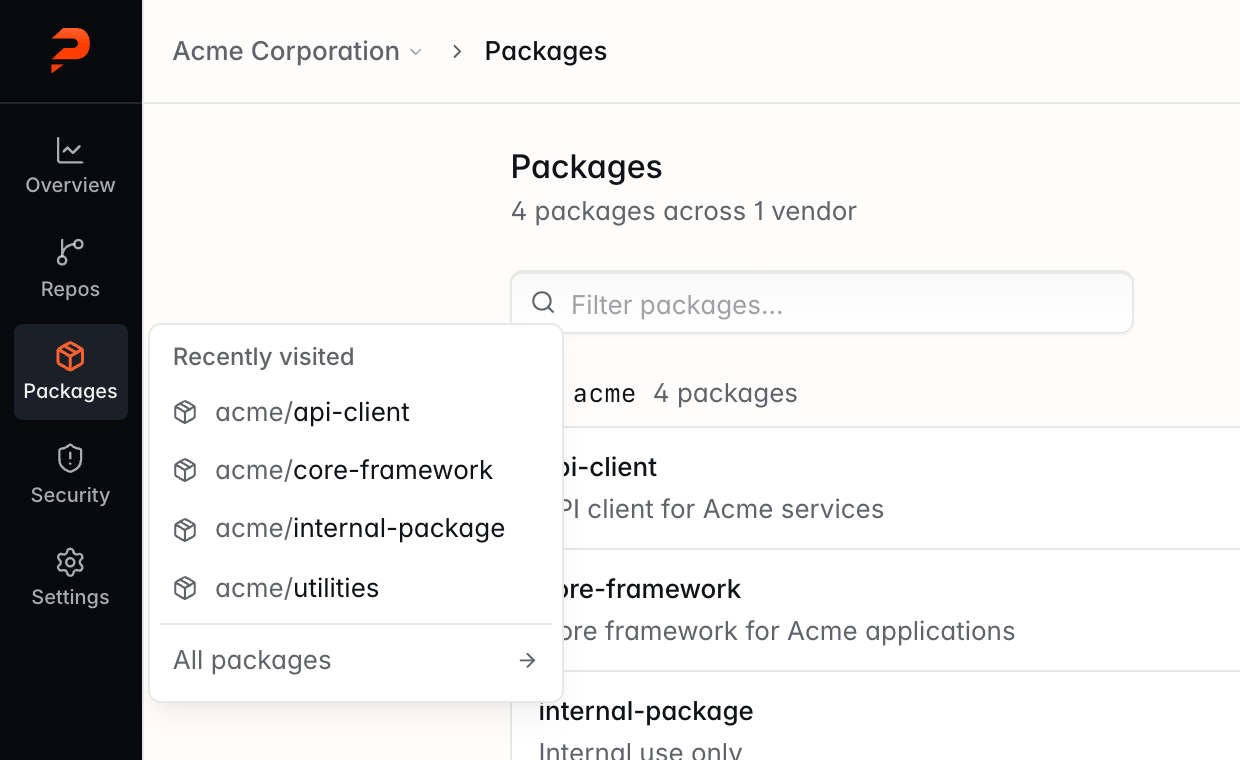
The packages list got the same treatment. Packages are grouped by vendor, show their description, source repository and latest version, and can be filtered by name.
Jump back to what you were working on
Hover over Repos or Packages in the sidebar to see the ones you opened most recently. One click takes you straight there, without going through the list first.
Easier to read
Small text like badges, timestamps and README code blocks is larger and easier to read, while screens stay just as compact.
We also cleaned up the details that show up on every page. Status labels share one consistent style. Git provider icons use their brand colors. Muted backgrounds lost their beige tint for a more neutral look. Notifications got a cleaner design with a countdown bar that pauses while you hover over them.
Upgrading
This release adds a table to track recently visited repositories.
-
Docker: migrations run automatically when the container starts, so pulling the new image is enough.
-
Manual installations: run
php artisan migrateafter updating. -
Release notes: View every Pricore release
-
Documentation: Read the Pricore guides
-
Cloud: Start your 14-day free trial
-
Self-hosted: View Pricore on GitHub